HTML Lists are used to specify lists of information. All lists may contain one or more list elements. There are three different types of HTML lists:
- Ordered List or Numbered List (ol)
- Unordered List or Bulleted List (ul)
- Description List or Definition List (dl)
HTML List Tags
| Tag | Description |
|---|---|
<ul> |
Defines an unordered list |
<ol> |
Defines an ordered list |
<li> |
Defines a list item |
<dl> |
Defines a description list |
<dt> |
Defines a term in a description list |
<dd> |
Describes the term in a description list |
HTML Ordered List
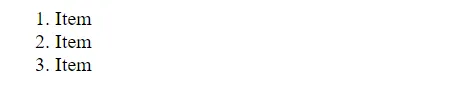
The HTML <ol> tag defines an ordered list. An ordered list can be numerical or alphabetical.
An ordered list starts with the <ol> tag. Each list item starts with the <li> tag.
The list items will be marked with numbers by default:
Example:
<ol>
  <li>Item</li>
  <li>Item</li>
  <li>Item</li>
</ol>
Output:
HTML Unordered List
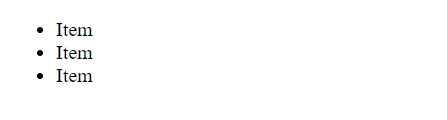
The HTML <ul> tag defines an unordered (bulleted) list.
An unordered list starts with the <ul> tag. Each list item starts with the <li> tag.
The list items will be marked with bullets (small black circles) by default:
Example:
<ul>
  <li>Item</li>
  <li>Item</li>
  <li>Item</li>
</ul>
Output:
HTML Description Lists
HTML also supports description lists.
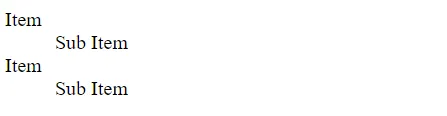
A description list is a list of terms, with a description of each term.
The <dl> tag defines the description list, the <dt> tag defines the term (name), and the <dd> tag describes each term:
Example:
<dl>
	<dt>Item</dt>
	<dd>Sub Item</dd>
	<dt>Item</dt>
	<dd>Sub Item</dd>
</dl>
Output: