
An HTML iframe is used to display a web page within a web page.
Syntax
The HTML <iframe> tag specifies an inline frame.
An inline frame is used to embed another document within the current HTML document.
<iframe src="url" title="description"></iframe>Set Width and Height of iframe
You can set the width and height of iframe by using width and height attributes. By default, the attributes values
are specified in pixels but you can also set them in percent. i.e. 50%, 60% etc.
<iframe src="a-page.html" height="200" width="300" title="Iframe Example"></iframe>Or you can add the style attribute and use the CSS height and width properties:
<iframe src="a-page.html" style="height:200px;width:300px;" title="Iframe Example"></iframe>Remove the border of iframe
By default, an iframe contains a border around it. You can remove the border by using <style> attribute and CSS border
property.
<!DOCTYPE html>
<html>
<body>
<h2>Remove the Iframe Border</h2>
<p>This iframe example doesn't have any border</p>
<iframe src="https://www.wikipedia.org" style="border:none;"></iframe>
</body>
</html>Iframe - Target for a Link
An iframe can be used as the target frame for a link.
The target attribute of the link must refer to the name attribute of the iframe:
<!DOCTYPE html>
<html>
<body>
<h2>Iframe - Target for a Link</h2>
<iframe height="300px" width="100%" src="https://www.wikipedia.org" name="iframe_a"></iframe>
<p><a href="https://www.google.com" target="iframe_a">Google</a></p>
<p>The name of iframe and link target must have same value else link will not open as a frame. </p>
</body>
</html> 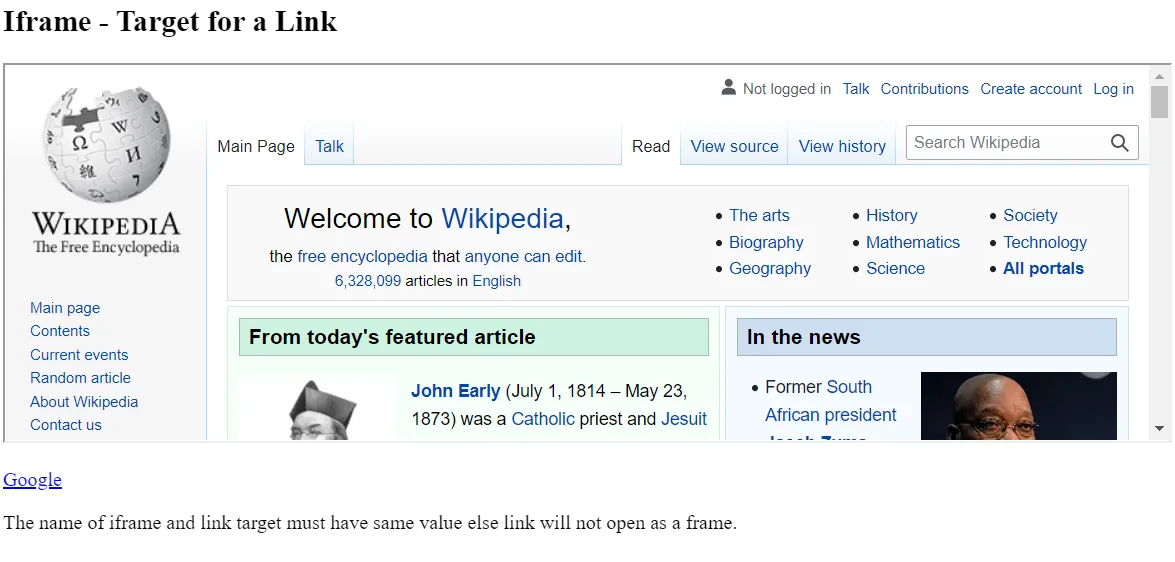
Attributes of <iframe>
| Attribute name | Value | Description |
|---|---|---|
allowfullscreen |
If true then that frame can be opened in full screen. | |
height |
Pixels | It defines the height of the embedded iframe, and the default height is 150 px. |
name |
text | It gives the name to the iframe. The name attribute is important if you want to create a link in one frame. |
frameborder |
1 or 0 | It defines whether iframe should have a border or not. (Not supported in HTML5). |
width |
Pixels | It defines the width of embedded frame, and default width is 300 px. |
src |
URL | The src attribute is used to give the path name or file name which content to be loaded into iframe. |
| sandbox | This attribute is used to apply extra restrictions for the content of the frame | |
| allow-forms | It allows submission of the form if this keyword is not used then form submission is blocked. | |
| allow-popups | It will enable popups, and if not applied then no popup will open. | |
| allow-scripts | It will enable the script to run. | |
| allow-same-origin | If this keyword is used then the embedded resource will be treated as downloaded from the same source. | |
| srcdoc | The srcdoc attribute is used to show the HTML content in the inline iframe. It overrides the src attribute (if a browser supports). | |
| scrolling | It indicates that browser should provide a scroll bar for the iframe or not. (Not supported in HTML5) | |
| auto | Scrollbar only shows if the content of iframe is larger than its dimensions. | |
| yes | Always shows scroll bar for the iframe. | |
| no | Never shows scrollbar for the iframe. |