HTML headings are titles or subtitles that you want to display on a webpage.
HTML headings are defined with the <h1> to <h6> tags.
<h1> defines the most important heading. <h6> defines the least important heading.
Example
<h1>Heading 1</h1>
<h2>Heading 2</h2>
<h3>Heading 3</h3>
<h4>Heading 4</h4>
<h5>Heading 5</h5>
<h6>Heading 6</h6>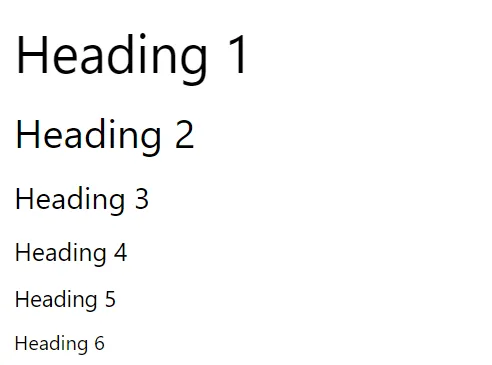
Headings Are Important
Search engines use the headings to index the structure and content of your web pages.
Users often skim a page by its headings. It is important to use headings to show the document structure.
<h1> headings should be used for main headings, followed by <h2> headings, then the less important <h3>, and so on.
Bigger Headings
Each HTML heading has a default size. However, you can specify the size for any heading with the style attribute, using the CSS font-size property:
Example
<h1 style="font-size:60px;">Heading 1</h1>An other example
<!DOCTYPE html>
<html>
	<head>
		<title>Heading elements</title>
	</head>
	<body>
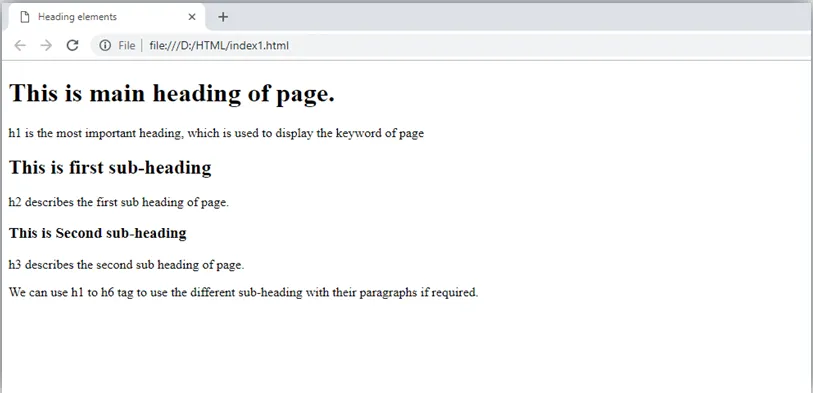
		<h1>This is main heading of page. </h1>
		<p>h1 is the most important heading, which is used to display the keyword of page </p>
		<h2>This is first sub-heading</h2>
		<p>h2 describes the first sub heading of page. </p>
		<h3>This is Second sub-heading</h3>
		<p>h3 describes the second sub heading of page.</p>
		<p>We can use h1 to h6 tag to use the different sub-heading with their paragraphs if required.
		</p>
	</body>
</html>
Output: