HTML contains several elements for defining text with a special meaning.
Example
<!DOCTYPE html>
<html>
	<body>
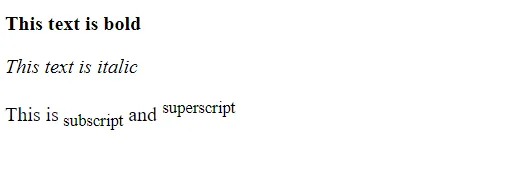
		<p><b>This text is bold</b></p>
		<p><i>This text is italic</i></p>
		<p>This is<sub> subscript</sub> and <sup>superscript</sup></p>
		</body>
</html>
Output:
HTML Formatting Elements
Formatting elements were designed to display special types of text:
| Tag | Description |
|---|---|
<b> |
Defines bold text |
<em> |
Defines emphasized text |
<i> |
Defines a part of text in an alternate voice or mood |
<small> |
Defines smaller text |
<strong> |
Defines important text |
<sub> |
Defines subscripted text |
<sup> |
Defines superscripted text |
<ins> |
Defines inserted text |
<del> |
Defines deleted text |
<mark> |
Defines marked/highlighted text |
<b> HTML element
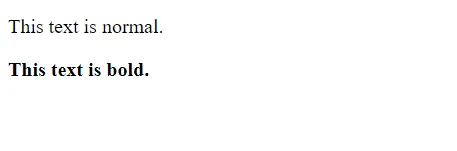
The HTML <b> element defines bold text, without any extra importance.
<!DOCTYPE html>
<html>
	<body>
		<p>This text is normal.</p>
		<p><b>This text is bold.</b></p>
	</body>
</html>
Output:
<strong> HTML element
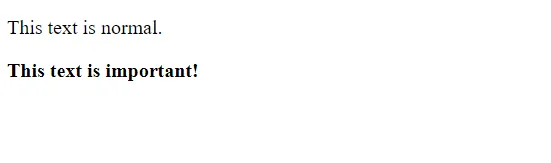
The HTML <strong> element defines text with strong importance. The content inside is typically displayed in bold.
<!DOCTYPE html>
<html>
	<body>
		<p>This text is normal.</p>
		<p><strong>This text is important!</strong></p>
	</body>
</html>
Output:
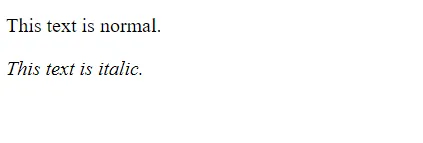
<i> HTML element
The HTML <i> element defines a part of text in an alternate voice or mood. The content inside is typically displayed in italic.
<!DOCTYPE html>
<html>
	<body>
		<p>This text is normal.</p>
		<p><i>This text is italic.</i></p>
	</body>
</html>
Output:
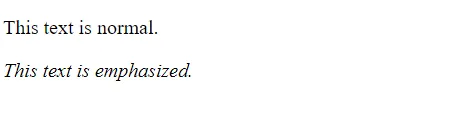
<em> HTML element
The HTML <em> element defines emphasized text. The content inside is typically displayed in italic.
<!DOCTYPE html>
<html>
	<body>
		<p>This text is normal.</p>
		<p><em>This text is emphasized.</em></p>
	</body>
</html>
Output:
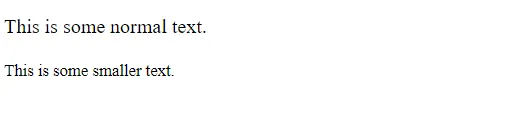
<small> HTML element
The HTML <small> element defines smaller text:
<!DOCTYPE html>
<html>
	<body>
		<p>This is some normal text.</p>
		<p><small>This is some smaller text.</small></p>
	</body>
</html>
Output:
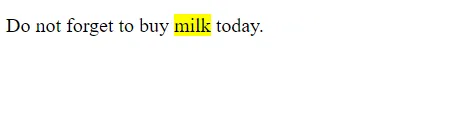
<mark> HTML element
The HTML <mark> element defines text that should be marked or highlighted:
<!DOCTYPE html>
<html>
	<body>
	<p>Do not forget to buy <mark>milk</mark> today.</p>
	</body>
</html>
Output:
<del> HTML element
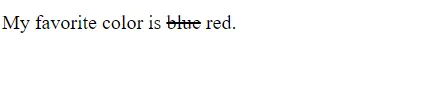
The HTML <del> element defines text that has been deleted from a document. Browsers will usually strike a line through deleted text:
<!DOCTYPE html>
<html>
	<body>
		<p>My favorite color is <del>blue</del> red.</p>
	</body>
</html>
Output:
<ins> HTML element
The HTML <ins> element defines a text that has been inserted into a document. Browsers will usually underline inserted text:
<!DOCTYPE html>
<html>
	<body>
		<p>My favorite color is <del>blue</del> <ins>red</ins>.</p>
	</body>
</html>
Output:

<sub> HTML element
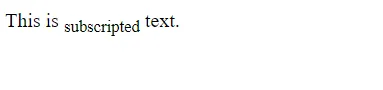
The HTML <sub> element defines subscript text. Subscript text appears half a character below the normal line, and is sometimes rendered in a smaller font. Subscript text can be used for maths formulas, like log2(x):
<!DOCTYPE html>
<html>
	<body>
		<p>This is <sub>subscripted</sub> text.</p>
	</body>
</html>
Output:
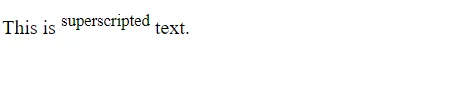
<sup> HTML element
The HTML <sup> element defines superscript text. Superscript text appears half a character above the normal line, and is sometimes rendered in a smaller font. Superscript text can be used for footnotes, like WWW[1]:
<!DOCTYPE html>
<html>
	<body>
		<p>This is <sup>superscripted</sup> text.</p>
	</body>
</html>
Output: