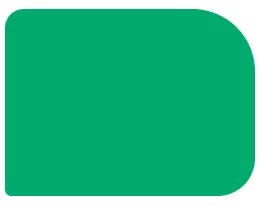
With the CSS border-radius property, you can give any element "rounded corners".
CSS border-radius Property
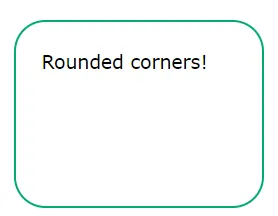
The CSS border-radius property defines the radius of an element's corners.
Example
	border-radius:  25px;
	border:  2px solid #73AD21;
	padding:  20px;
	width:  200px;
	height:  150px;
}
| Property | Description |
|---|---|
| border-radius | A shorthand property for setting all the four border---radius properties |
| border-top-left-radius | Defines the shape of the border of the top-left corner |
| border-top-right-radius | Defines the shape of the border of the top-right corner |
| border-bottom-right-radius | Defines the shape of the border of the bottom-right corner |
| border-bottom-left-radius | Defines the shape of the border of the bottom-left corner |
CSS border-radius - Specify Each Corner
The border-radius property can have from one to four values.
	border-radius:  15px 50px 30px 5px;
	background:  #73AD21;
	padding:  20px;
	width:  200px;
	height:  150px;
}
One value
border-radius: 15px; where the value applies to all four corners, which are rounded equally

Two values
border-radius: 15px 50px; where first value applies to top-left and bottom-right corners, and the second value applies to top-right and bottom-left corners
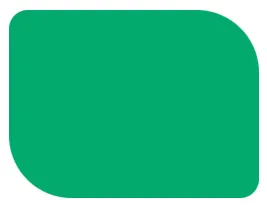
Three values
border-radius: 15px 50px 30px; where first value applies to top-left corner, second value applies to top-right and bottom-left corners, and third value applies to bottom-right corner

Four values
border-radius: 15px 50px 30px 5px; where first value applies to top-left corner, second value applies to top-right corner, third value applies to bottom-right corner, and fourth value applies to bottom-left corner: